WordPress では[ユーザー > ユーザー一覧]画面からユーザーを検索できます。初期状態ではユーザー名と電子メールアドレスのみで検索できます。
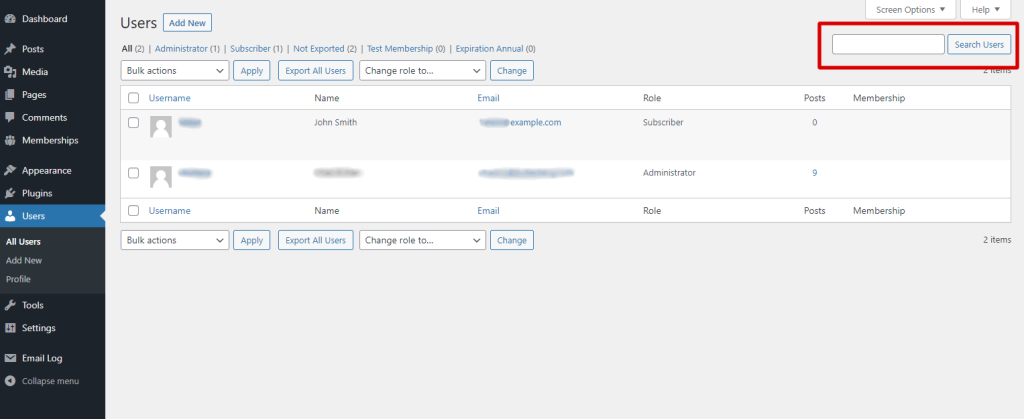
WP-Members を使用すると検索にフィールドを追加できます。 ただし、検索に追加するフィールドが多すぎると検索結果の関連性が低くなるので注意してください。
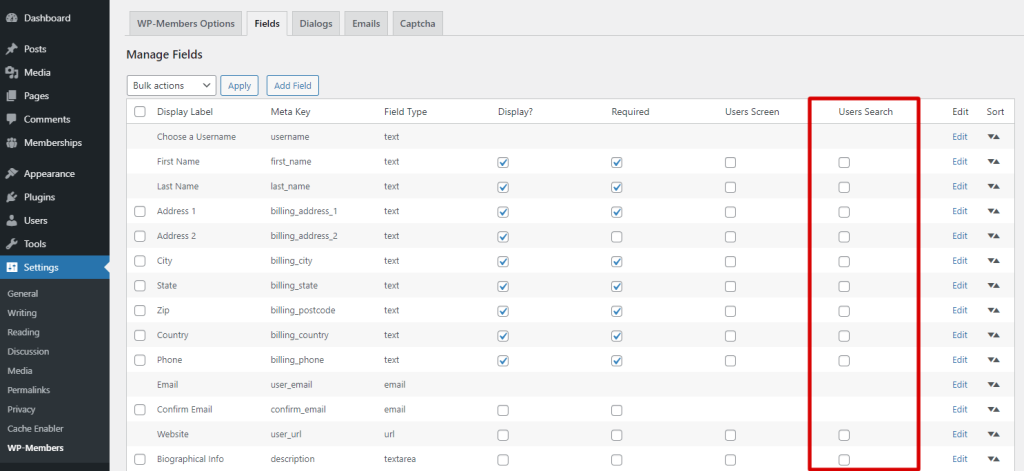
検索に使うフィールドを追加するには、[設定 > [WP-Members > フィールド] に移動します。そこにあるフィールドビューで「検索」列を見てください。 [ユーザー > ユーザー一覧]画面の検索で使用するフィールドにチェックを入れます。設定を保存するには、一括操作メニューに移動し、「設定を保存」を選択してから「適用」を選択します。
原文を見る
WordPress allows you to search users through the Users > All Users screen. Natively, this will search by username and email address only.
WP-Members allows you to add fields to the search. However, it should be noted that if you add too many possible fields for searching, your search results will be less relevant.
To add fields to be searchable, go to Settings > WP-Members > Fields. In the fields view, note the “Users Search” column. Select the fields you would like to be included in the Users > All Users search. To save your settings, go to the bulk action menu, select “Save” and then “Apply”.
https://rocketgeek.com/plugins/wp-members/docs/managing-users/search-users/